bolt

Dominate Minecraft with Bolt.

A native client that attaches to the game already running. Nothing gets added to your Minecraft folder, and nothing is left behind when you unload it. Vanilla, Lunar Client and Fabric, 26.1 to 26.2.

  • 26.1 – 26.2Version range
  • 3Launchers supported
  • Right ShiftOpens the menu
  • EndUnloads cleanly
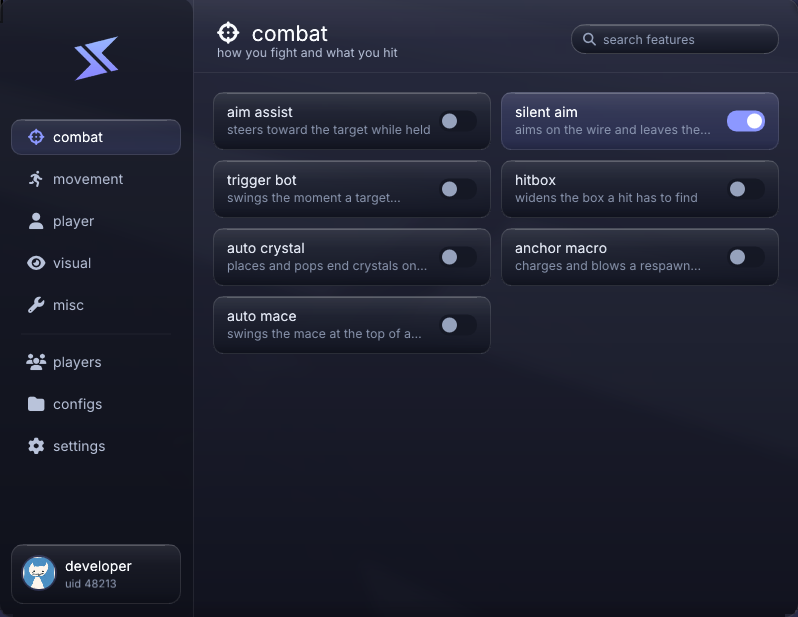
the bolt in-game menu, combat tab

What's in the client

Eight tabs in all: five grids of modules, plus players, configs and settings

Combat

Aiming, swinging, and the slot tricks around the hit.

  • Aim assist has an FOV cone, a reaction delay, and a curve you drag to say how much it smooths at range
  • Silent aim turns you on the wire only, so the camera stays where your mouse is pointing
  • The trigger bot waits out hurt time, checks for crits and shields, and only fires on items you allow
  • Shield breaker swaps to an axe the moment they block, and kb displace throws them sideways
Crystal, mace & minecart

One key each, for the fights vanilla makes you fumble.

  • Auto crystal only acts on what your crosshair is already resting on, and both delays are yours to set
  • The anchor macro charges it, puts a glowstone block in front of you, and blows it with your sword
  • Auto mace waits until the fall is behind you, then swaps the mace in for real or silently
  • Minecart bomb follows the arrow you just loosed and rails a TNT cart under where it lands

Visuals

Drawn by the overlay on its own GL context, never by editing the game's.

  • ESP draws boxes in 2D, 3D or corners, with skeleton, health, name, distance, held item, armour and tracers
  • Chams put their model through the walls, solid or as an outline, in whatever colour you pick
  • Hits get a burst of particles and a note that climbs as the combo does, and everyone leaves a trail
  • Fog is configurable, fullbright lights the world without touching gamma, and your hand sits where you put it

Movement & utility

The small timings that decide a fight, plus the chores.

  • Sprint reset, jump reset and instant stop each roll their own chance, so none of them fire every time
  • No slow keeps your speed while you eat or block, and fast place drops the cooldown from four ticks to one
  • Auto totem puts one back in your offhand the way you would, openly or silently, and auto tool picks the tool
  • Pearl catch throws the pearl, then works out the wind charge that meets it in the air

The menu

Right Shift opens it. End unloads the whole thing cleanly.

  • Five grids of modules, plus players, configs and settings, with a search that filters the cards as you type
  • Right click any card to open its settings and bind it, as hold, toggle or always
  • Nearly everything with a colour has a picker, and the menu comes in eight palettes and three styles
  • Eight HUD panels you can drag anywhere, and configs that load on startup or when you join a server

In-Game Showcase

Recorded in game, not mocked up

Combat
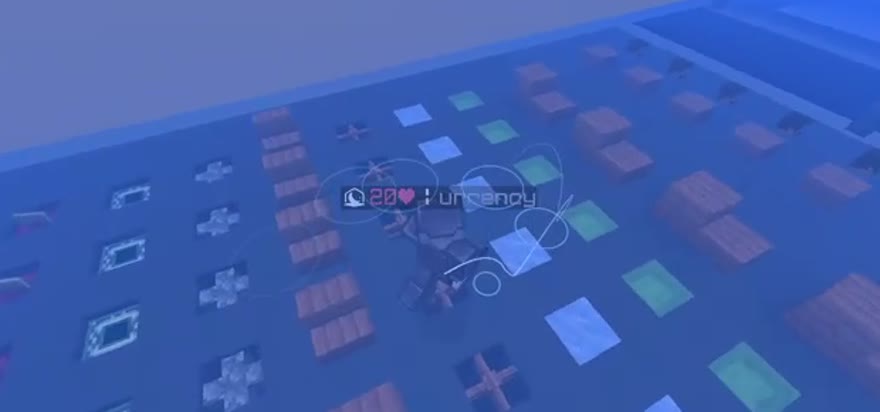
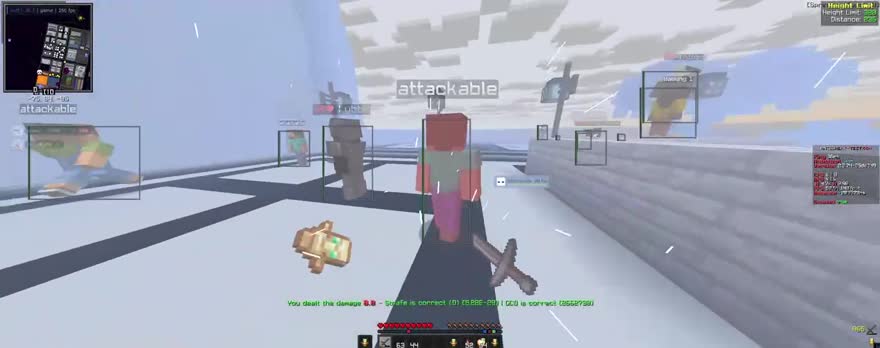
esp boxes and chams on players
ESP & chams
Visuals
jump rings and motion trails
Trails & jump rings
the bolt menu, combat tab
The menu

Platform Compatibility

It is detected at runtime, so you never pick a version. bolt works out which one you are on

LauncherVersionsStatus
Lunar Client 26.1 – 26.2 Supported
Vanilla / Official launcher 26.1 – 26.2 Supported
Fabric 26.1 – 26.2 Supported

Badlion, Feather and Forge are not supported. bolt validates the version profile against your running game before it does anything. If it cannot match exactly one, it disables itself rather than guess.

Choose Your Plan

Every plan is the same client. The longer ones just cost less per day.

Buying gives you a licence key, and that key is what you register with. One key, one account, one PC. You can move it to a new machine from your dashboard. Already have a key?

Frequently Asked Questions

Everything you need to know about Bolt client

Which launchers and versions work?
Vanilla (the official launcher), Lunar Client and Fabric, on Minecraft 26.1 through 26.2. bolt works out which one you are running by itself, so there is no version to pick and no separate build to download. Badlion, Feather and Forge are not supported.
Does it change my Minecraft install?
No. bolt is not a mod and there is no jar to patch. It attaches to the Java runtime the game is already using, rewrites the classes it needs in memory, and hangs the overlay off a single redirected import entry. Press End and every rewritten class is handed back its original bytes, the import entry goes back, and it unloads. Your game files are untouched throughout, and the only thing bolt writes is its own settings folder.
How do I download it after buying?
Buying gives you a licence key. Register with that key, and the current build is on the Downloads tab of your dashboard. Linking Discord is optional and only syncs your customer role in the server.
Can I move it to a new PC?
Your key locks to the first machine it runs on. You get three self-serve resets from the Account tab of your dashboard. Unbind it, then launch on the new PC and it binds there. After three, open a ticket and we will sort it out.
What do I need to run it?
Windows. There is no macOS or Linux build. Start Minecraft first, then run bolt. It attaches to the game that is already open, so there is nothing to install and nothing to add to your Minecraft folder.
Is one key good for more than one account?
No. A key is claimed by the first account that registers or redeems it, and it cannot be used again after that, so treat it like a password and do not share it.